
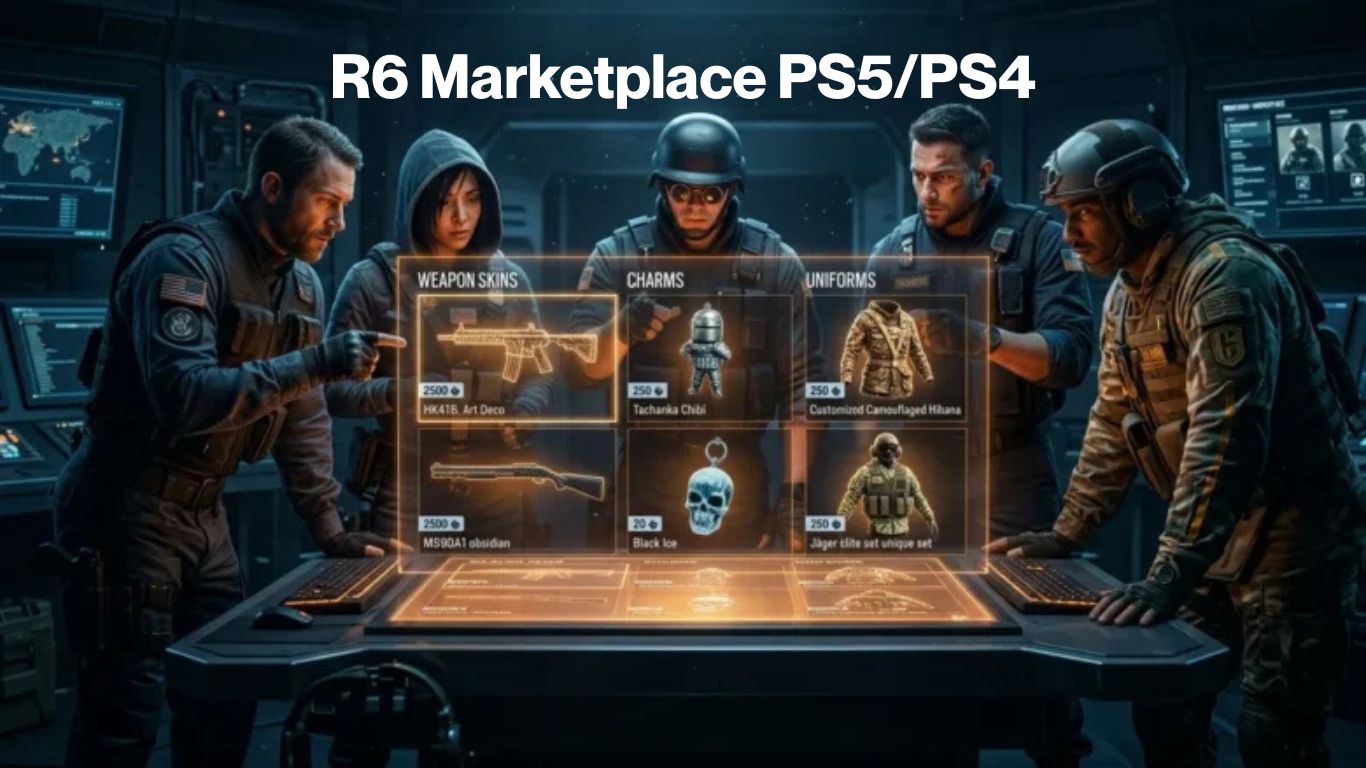
Rainbow Six Siege players on consoles want more control over their cosmetics. They look for rare weapon skins, operator charms, and unique items without wasting credits on random packs. The R6 Marketplace PS5/PS4 gives PlayStation users a direct way to buy and sell eligible items with other players using only R6 Credits.
This complete console guide also covers Xbox access so every console player gets clear, practical help. As of April 22, 2026, Ubisoft has the R6 Marketplace temporarily disabled while the team strengthens security and fixes issues from earlier incidents. They aim to reopen it later in Year 11. This article prepares you with everything you need so you can start trading confidently the moment it returns.
You will discover how the platform works, its real benefits for console gamers, exact setup steps for PS5, PS4, and Xbox, detailed buy and sell processes, advanced strategies, troubleshooting tips, and much more. Read on to turn your inventory into real value and build the perfect loadout on your console.
What Is the R6 Marketplace PS5/PS4?
The R6 Marketplace is Ubisoft’s official peer-to-peer trading platform for Rainbow Six Siege cosmetics. Players exchange eligible weapon skins, charms, headgear, and other items using R6 Credits. It works through a simple order book system where buyers create purchase orders and sellers list items at their chosen price.
When a match occurs, the item transfers safely and credits move after a small fee. Unlike the regular store, you deal directly with the community. This creates dynamic pricing based on real supply and demand. Only certain items qualify for trading. Current-season cosmetics usually become available the following season.
The platform runs mainly through a web browser for now. Console players on PS5, PS4, and Xbox access it the same way by linking their account to Ubisoft Connect. Your in-game inventory syncs automatically once linked. Ubisoft keeps strict rules to protect the economy. You need clearance level 25 or higher, recent XP from playing matches, and two-factor authentication enabled. Your account must stay free of sanctions.
These requirements keep trading fair and safe for everyone. The R6 Marketplace PS5/PS4 delivers the same full features to PlayStation users as other platforms. Xbox players enjoy identical access through any browser. Future updates may bring native in-game menus, but the current web-based system already works smoothly across consoles when active.
Benefits of Using R6 Marketplace on Console
Console gamers gain huge advantages when they use the marketplace. You can finally get that elusive skin you missed in a past season without endless grinding. Sell your duplicate or unwanted items and turn them into usable R6 Credits for new operators or battle passes.
Many PS5 and PS4 players save hundreds of credits each season by targeting exact items instead of opening blind packs. Xbox users enjoy the same savings. The community-driven prices often beat Ubisoft’s direct store rates. You control what you pay by setting smart maximum prices.
Cross-progression adds long-term value. Your traded items stay with your Ubisoft account and sync across consoles if you ever switch platforms. This makes every successful trade even more worthwhile.
The R6 Marketplace PS5/PS4 opens exciting opportunities during seasonal shifts. Demand for certain skins rises and falls naturally, letting alert traders find good deals. Console players who check regularly on mobile while queuing matches often spot opportunities faster than casual users.
You never need to stop playing on your PS5 or Xbox to manage trades. Use your phone browser or the console’s built-in browser for quick checks. Overall, the marketplace transforms dead inventory into an active asset that makes every ranked match and casual session more enjoyable. Console gamers who master it build impressive collections without spending extra real money.
Current Status of R6 Marketplace in 2026
Ubisoft temporarily disabled the marketplace following security incidents in late 2025. As of April 22, 2026, the platform remains offline while the team completes major upgrades to fraud detection, account protection, and economy safeguards.
Players on PS5, PS4, and Xbox cannot create new orders right now. Ubisoft stated their goal is to reopen during Year 11, though no exact date exists yet. Many community discussions suggest it could return in Season 2 or Season 3 at the earliest.
Use this downtime wisely. Link your console account to Ubisoft Connect now. Enable two-factor authentication and reach clearance level 25 if you have not already. Play regular matches to keep your XP fresh. Prepare your tradable inventory by deciding which skins you want to sell or keep.
When the R6 Marketplace PS5/PS4 returns, you will move faster than others who wait until the last minute. Check Ubisoft’s official service status page regularly for updates. The improvements should make future trading even safer and more reliable for all console players.
What you need before you start
Four things gate marketplace access, and all four apply equally to PlayStation players:
| Requirement | Details |
| Clearance Level 25 | Your in-game clearance level earned through match XP, not account age |
| Two-factor authentication (2FA) | Must be active on your Ubisoft account at ubisoft.com |
| No active sanctions | Any active ban or restriction on your Ubisoft account blocks access |
| Ubisoft account linked to your PlayStation | Your PSN account must be connected to a Ubisoft Connect account |
If you came to Siege through the Siege X free-to-play relaunch in June 2025, Clearance Level 25 is the most likely blocker. It takes roughly 20 30 hours of match time to reach. The 2FA requirement trips up players who set up their Ubisoft account years ago and never switched it on go to your Ubisoft account settings at ubisoft.com and enable it there, not just inside the game.
How to access the R6 Marketplace on PS5 and PS4
- Open a browser on any device. Your phone works fine. So does a tablet, a laptop, or a PC. The marketplace web portal runs on any modern browser you don’t need to be near your PlayStation.
- Go to the Ubisoft marketplace. The URL is ubisoft.com navigate to Rainbow Six Siege and then to the Marketplace section. Make sure you’re on Ubisoft’s actual domain. Lookalike sites asking for your login credentials are phishing scams.
- Sign in with your Ubisoft account. Use the account linked to your PlayStation not your PSN credentials, your Ubisoft Connect login. If you’re not sure which Ubisoft account is tied to your PlayStation, check the linked accounts section in your PS5 or PS4 settings.
- Your inventory loads automatically. Weapon skins, operator uniforms, headgear, charms, and attachment skins you own on PlayStation will appear in your tradable inventory. Skins from the current active season won’t show as listable yet that’s the current-season lock, not an error.
- Place buy or sell orders as normal. The web portal has the same order book functionality as the PC in-game client. You can set buy orders at a price you’re willing to pay, list sell orders, or browse existing listings. The marketplace fills the lowest-priced matching sell order first, so if you’re listing to sell, price one Credit under the cheapest active listing to move faster.
- Play a match on your PlayStation to sync inventory. After any transaction, your inventory won’t update instantly. Load into Siege on your PS5 or PS4 and play one match. That triggers the inventory sync and the skin will show up in your loadout.
Cross-platform inventory: what it means for PlayStation players
Your Siege inventory is shared across every platform through Ubisoft’s cross-progression system. A skin you own on PS5 is the same skin a PC player on Ubisoft Connect would see it lives on your Ubisoft account, not your PlayStation specifically.
This means a few practical things:
- R6 Credits earned from selling a skin on the web portal are spendable in-game on your PS5 or PS4
- Skins you buy through the web portal appear in your PlayStation loadout after an inventory sync
- If you also play on PC, your inventory is identical across both buy once, use anywhere
The marketplace doesn’t care which platform you play on. The order book is shared, and you’re competing with and trading against players on PC, Xbox, and other PlayStation consoles simultaneously.
Common problems PlayStation players run into
Problem: “My skins aren’t showing in the web portal.”
Solution: Play one match on your PlayStation. Inventory syncs after match activity, not just from logging in. This is the most common issue PS4 and PS5 players hit when they first open the web portal.
Problem: “I can’t find the marketplace in the Siege game on PS5.”
Solution: It’s not there. There’s no in-game marketplace tab on PlayStation. The web portal is the only way in, and that’s by design not a missing feature or a region restriction.
Problem: “I signed into the Ubisoft marketplace but my PlayStation skins aren’t appearing.”
Solution: You may be logged into the wrong Ubisoft account. Check which Ubisoft account is linked to your PlayStation by going to Account Management on your console. The account showing in your Siege profile is the one you need to sign into on the web portal.
Problem: “The marketplace isn’t loading at all.”
Solution: The marketplace is currently offline following the 27 December 2025 exploit. This affects every platform, not just PlayStation. Check the Is the R6 Marketplace Down Right Now? page for current status.
How to Access and Set Up R6 Marketplace on PS5, PS4 & Xbox
Setup takes just a few minutes and works the same across consoles. First, launch Rainbow Six Siege on your PS5, PS4, or Xbox and confirm your Ubisoft account links properly to your console profile. The game guides you through linking if needed.
Go to your Ubisoft account settings and turn on two-factor authentication immediately. This step is mandatory for marketplace access. Play at least one match to earn recent XP and verify your clearance level sits at 25 or above.
Once inside, you see clean sections for browsing, buying, selling, and transaction history. Familiarize yourself with the filters for rarity, weapon type, and price. This simple setup lets PS5, PS4, and Xbox players focus on smart trading instead of technical headaches.
Step By Step Guide to Buying Items on the R6 Marketplace
Buying items feels straightforward once you know the flow. Log into the marketplace website and go to the Buy section. Search for the exact skin or charm name or browse by category.
Open any item to view details. Check current lowest prices, recent sales, and available supply. Enter the highest amount of R6 Credits you want to pay and create your purchase order. The system automatically matches you with the lowest compatible seller.
PS5 and PS4 players can monitor active orders on their phone without leaving the game. Xbox users enjoy the same flexibility. Top up R6 Credits only when necessary because targeted buying stretches your budget further than random packs.
Real examples prove the value. Players often secure popular seasonal skins for 20 to 40 percent less than alternative methods. Set realistic maximum prices and stay patient for the best results. The R6 Marketplace PS5/PS4 rewards thoughtful buyers who know what they want.
Step by Step Guide to Selling Items on the R6 Marketplace
Selling turns extra cosmetics into fresh R6 Credits. After logging in, switch to the Sell tab. Your eligible inventory appears with clear labels. Choose the item you want to list and set your asking price. Remember that Ubisoft deducts a 10 percent transaction fee on every successful sale. Factor this into your number so you know your actual earnings.
When a buyer accepts your price, credits arrive instantly in your account. Check the transaction history to track everything clearly. Console players stay safe by reviewing orders on a second device before confirming.
This habit prevents mistakes with favorite skins. Start by selling common duplicates to build confidence, then move to higher-value items. Xbox, PS5, and PS4 users follow the exact same process with great results.
Advanced Tips and Strategies for Console Traders
Successful traders treat the marketplace like a real economy. Track price trends by reviewing recent sales for popular items. Seasonal events often create spikes in demand for specific operator skins.
Buy during quiet periods and hold through the cooldown when prices rise. Focus first on mid-tier items that sell quickly rather than ultra-rare pieces that may sit longer.
Avoid emotional pricing. If an item does not sell after 20 days, lower the price slightly instead of canceling and relisting at the same amount. Small adjustments often trigger fast matches.
Stay active in the game to maintain eligibility. New seasons introduce fresh tradable items that reset supply levels. These advanced habits help console players on PS5, PS4, and Xbox build impressive collections smarter and faster than average users.
Common Issues and Troubleshooting for PS5, PS4 & Xbox Users
Small problems can appear even when the platform runs well. Login failures usually come from outdated account links or missing 2FA. Re-link your console account in Ubisoft settings and verify your code again.
Recent password or email changes trigger short security holds. Wait the required time and the restriction lifts. If issues continue after basic steps, contact Ubisoft Support with your clearance level and recent activity details.
Most console players solve nearly all problems with simple troubleshooting and patience. The R6 Marketplace PS5/PS4 works reliably for thousands of users when active.
Safety, Security, and Official Rules
Ubisoft built the marketplace with strong protections in mind. Always trade only through the official website. Never share your login details or accept deals outside the platform.
Keep two-factor authentication active at all times. This single step blocks most unauthorized access attempts. Follow Ubisoft’s Code of Conduct and avoid any behavior that could result in sanctions.
Your personal data stays protected under official privacy rules. The 10 percent fee and cooldown periods help maintain a healthy, fair economy for every player. Console users on PS5, PS4, and Xbox receive the same level of security.
The Future of R6 Marketplace on Console
Ubisoft continues developing improvements. Native in-game access inside the PS5 and Xbox menus appears likely in upcoming updates. Better mobile tools and possibly expanded item categories will follow when the platform returns.
Console gamers can expect tighter integration with cross-play features. The R6 Marketplace PS5/PS4 and its Xbox counterpart will keep evolving to offer even more ways to customize your Siege experience on console.
You Must Also Read About: R6 Marketplace Skins
FAQ’s About R6 Marketplace PS5/PS4
1. What is R6 Marketplace PS5/PS4 and how does it work for console players?
R6 Marketplace PS5/PS4 is Ubisoft’s official web-based platform where PlayStation users buy and sell Rainbow Six Siege cosmetics using R6 Credits. It works the same for Xbox players through any browser. The order book system matches buyers and sellers automatically for safe, fair trades.
2. Is the R6 Marketplace currently available on PS5, PS4, or Xbox in 2026?
No, the marketplace remains temporarily disabled as of April 2026 while Ubisoft improves security. The team plans to reopen it later in Year 11. Link your console account and enable 2FA now to stay ready for the return.
3. What requirements do I need to access R6 Marketplace PS5/PS4 or on Xbox?
You need clearance level 25, recent XP from playing matches, and two-factor authentication enabled on your Ubisoft account. Your console account must link properly to Ubisoft Connect with no active sanctions.
4. How do I buy items using R6 Marketplace on PS5 or PS4?
Log in through a web browser, go to the Buy tab, search for the item, set your maximum R6 Credit price, and create a purchase order. The system matches you automatically when a seller accepts a compatible price.
5. What is the process for selling items on R6 Marketplace console?
Select an eligible item in the Sell tab, set your asking price, and confirm the order. Ubisoft applies a 10 percent fee on successful sales. The item stays listed up to 30 days until a buyer matches your price.
6. Does R6 Marketplace PS5/PS4 charge fees on every trade?
Yes, sellers pay a 10 percent transaction fee deducted from their received R6 Credits. Buyers pay only the matched price with no additional charge. This fee supports a balanced in-game economy.
7. How long does it take for bought items to appear in my console inventory?
Transfers usually complete within minutes after a successful match. A short sync delay can occur. Restart your game on PS5, PS4, or Xbox if the item does not show immediately.
8. Can I trade every skin and charm on the R6 Marketplace for consoles?
No, only eligible cosmetics qualify for trading. Ubisoft clearly marks tradable items. Current-season or certain limited pieces often stay non-tradable until the next season.
9. Will native in-game access come to PS5 and Xbox for the marketplace?
Ubisoft plans to test native marketplace integration inside the game client for PS5 and Xbox Series X|S. Web browser access remains the main method until those updates arrive.
10. What should I do if I cannot log in to R6 Marketplace PS5/PS4 or on Xbox?
Re-link your console account in Ubisoft settings, confirm 2FA works, and earn fresh XP in a match. Clear browser cache or try a different device. Most login issues resolve quickly with these steps.
Last Verdict
The R6 Marketplace console guide gives PS5, PS4, and Xbox players everything they need to trade Rainbow Six Siege items effectively. When the platform returns later in Year 11, you will know exactly how to set up, buy, sell, and maximize value safely.
Prepare your accounts and inventory today. Turn extra skins into credits and upgrade your gameplay without extra spending. Console trading rewards active, thoughtful players who understand the system. Start building better habits now so you make the most of the R6 Marketplace PS5/PS4 and full console access the moment it reopens.