
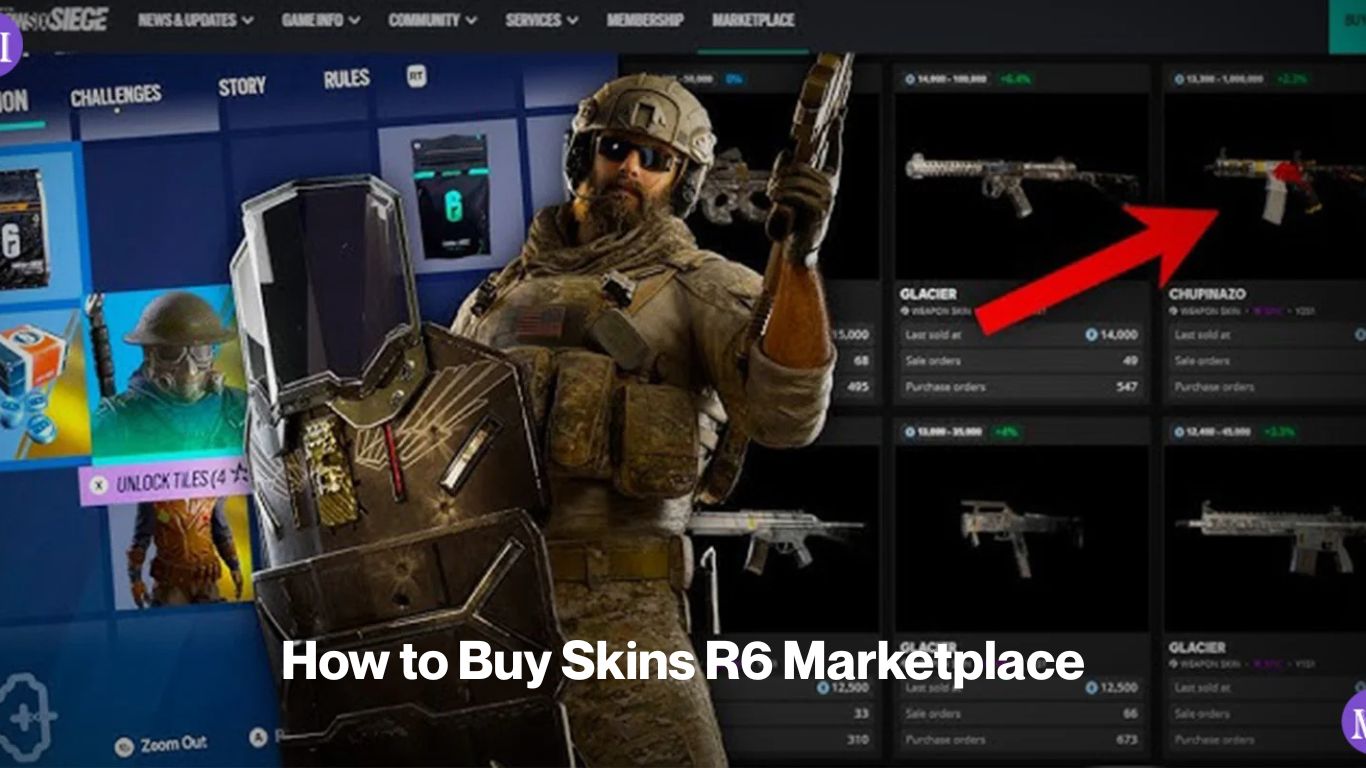
Buying a skin on the R6 Marketplace isn’t like clicking “add to cart.” You place a buy order at a price you’re willing to pay, and the system matches it against the lowest active sell order for that item. If a seller is asking the same price or less, the trade executes automatically. If nobody’s listing that low yet, your order sits in the order book until one does or until you cancel it.
The marketplace is currently offline following the 27 December 2025 exploit, but when it returns, this is exactly how it’ll work. Get familiar with the process now so you’re ready to move when trading resumes.
Before you place a buy order
You need R6 Credits in your Ubisoft wallet not Renown. Renown is the free in-game currency you earn from matches; it works in the Bravo Store but not on the player marketplace. R6 Credits are purchased with real money through the Ubisoft Store. The current pack sizes run from 600 Credits (around $4.99 USD) up to 16,000 Credits ($99.99 USD), with better per-Credit value at higher tiers.
You’ll also need to meet the marketplace eligibility requirements: Clearance Level 25, two-factor authentication active on your Ubisoft account, and no active sanctions. If you haven’t checked those yet, the How to Access the R6 Marketplace page walks through each one.
How to Buy Skins R6 Marketplace – Step By Step
- Open the marketplace. On PC, go to the Marketplace tab inside the Siege client or through the Ubisoft Connect web portal. On PlayStation or Xbox, you need a browser there’s no in-game marketplace tab on console.
- Search for the skin you want. Use the search bar or browse by category. You can filter by cosmetic type (weapon skin, headgear, uniform, charm, attachment skin) and by rarity. If you’re after something like a Black Ice variant for the MP5 or R4-C, search the weapon name to pull up all tradable skins for it.
- Check the order book before you commit. Every listing page shows the current sell orders sorted from lowest to highest price. That lowest ask is what you’d pay if you match it exactly. You’ll also see active buy orders below that what other buyers are currently offering. This tells you where demand sits and what sellers are actually accepting.
- Choose your price. You can match the lowest sell order for an instant fill, or set a lower buy order and wait for a seller to meet you. The system always fills the lowest-priced matching sell order first, so if you’re buying at market, match that floor price. If you’re patient and think the price might come down, set your bid lower and leave the order open.
- Confirm the purchase. The Credits come straight out of your Ubisoft wallet when the order is placed (for an instant match) or when it fills (for a pending buy order). There’s no separate checkout it happens automatically.
- Wait for the item to appear in your inventory. After a successful transaction, the skin moves to your in-game inventory. It won’t show up the moment the trade executes you’ll usually need to restart the client or play a match before it syncs. Console players using the web portal may need to load into Siege on their console to trigger the inventory update.
The 15 day relisting hold
Once you buy a skin, you can’t immediately turn around and sell it. There’s a hold period of approximately 15 days before a purchased item becomes tradable again. This was put in place to reduce high-frequency flipping and keep the order book from being gamed by rapid resellers.
If you’re buying a skin to use, this doesn’t affect you at all. If you’re buying with the intention of reselling later, factor that hold into your planning. A skin’s price can shift over 15 days and not always in the direction you’d want.
What you can and can’t buy
Not every cosmetic in your Siege collection is tradable. Items locked behind the current active season new operator uniforms and headgear released this season, for example are temporarily unavailable for player trading. They become tradable once the season ends and are moved into the permanent pool. Current-season items also can’t be listed as sell orders, so don’t expect to find them on the marketplace either.
Items that are tradable include most older weapon skins, operator cosmetics from past seasons, weapon charms, attachment skins, and card portraits. Universal skins (those that apply across multiple weapons) and weapon-specific skins both appear on the marketplace, though they trade separately.
Buying tips that actually help
- Match the floor for fast fills. If you want the skin now, match the lowest active sell order. The system fills lowest-price first, so sitting one Credit below the ask means your order will never execute against current listings.
- Set a buy order below market if you’re not in a rush. Some skins see price dips when a season ends and supply temporarily increases. Leaving a buy order at 10–15% below the current floor costs nothing to try, and occasionally pays off if a seller wants a quick exit.
- Check how many sell orders exist at the floor price. If there are 40 listings at 500 Credits and your buy order matches that, you’ll fill but if there are only 2 listings and both sell before your order processes, you’ll be waiting. Higher-demand skins with thin supply move fast.
- Watch out for fake marketplace sites. If you search “R6 Marketplace” and land somewhere asking for your Ubisoft login credentials outside of ubisoft.com, leave immediately. Off-platform skin sales and account credential requests are scams. The real marketplace runs through Ubisoft’s own platform only.
You Must Also Read About: How to Buy Black Ice R6 Marketplace
A note on current pricing
All price references on this site come from order book data tracked before the marketplace went offline on 27 December 2025. Black Ice variants ranged from a few hundred Credits to over a thousand depending on the weapon, with rarer options like Jäger’s 416-C Black Ice sitting at the higher end of that range. Glacier, one of the oldest universal skins in the game from Year 1 Season 1, consistently sat among the most expensive items on the market.
When the marketplace comes back online, prices will reset based on whatever the order book looks like at that point. Treat pre-outage figures as context for relative rarity and demand, not as a price guarantee. For a deeper look at what skins are worth and how prices have moved, the R6 Marketplace Skin Prices page covers the data we have in more detail.